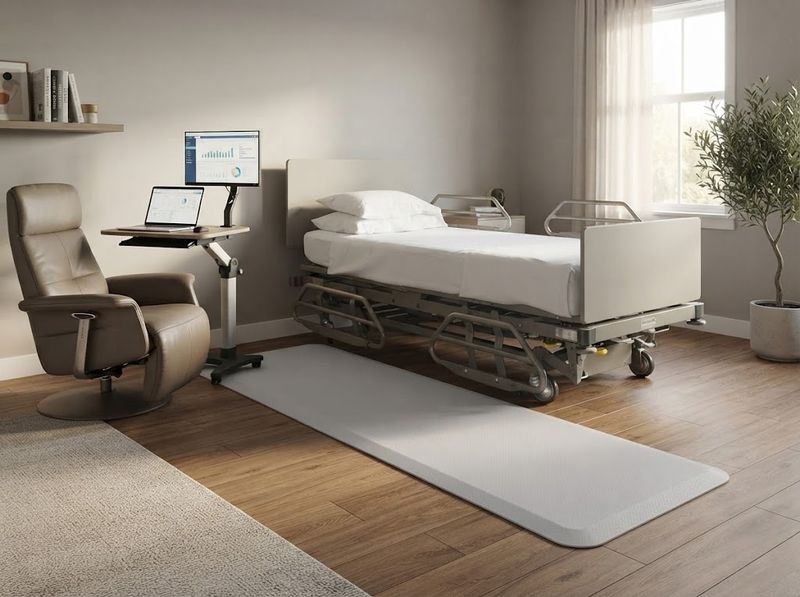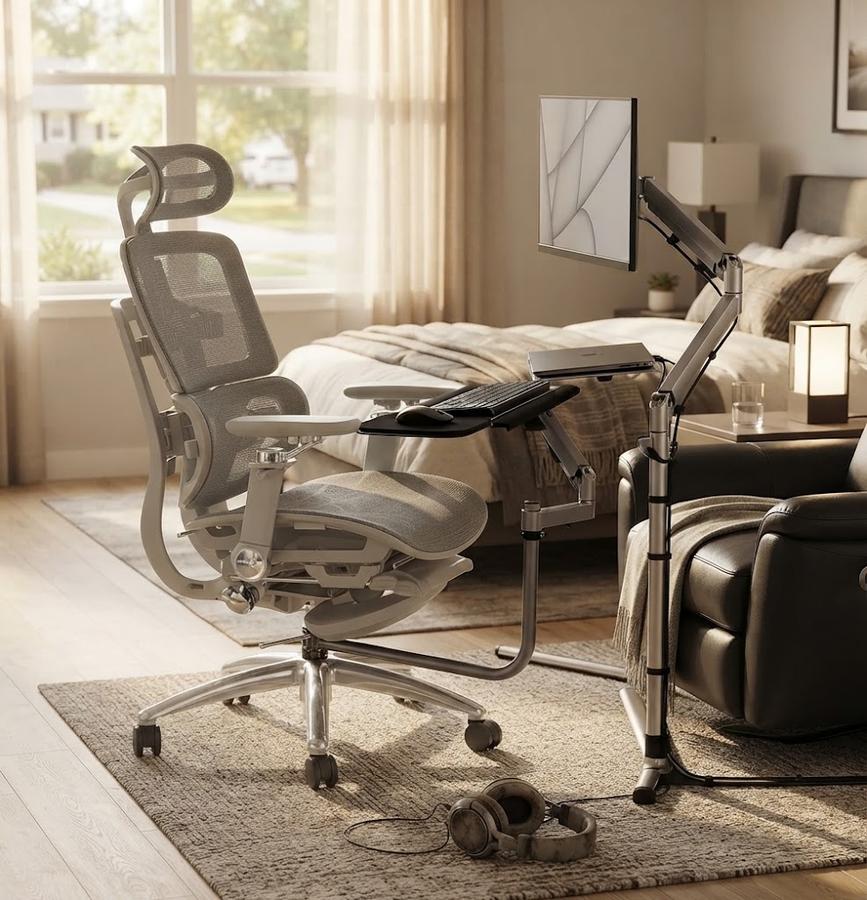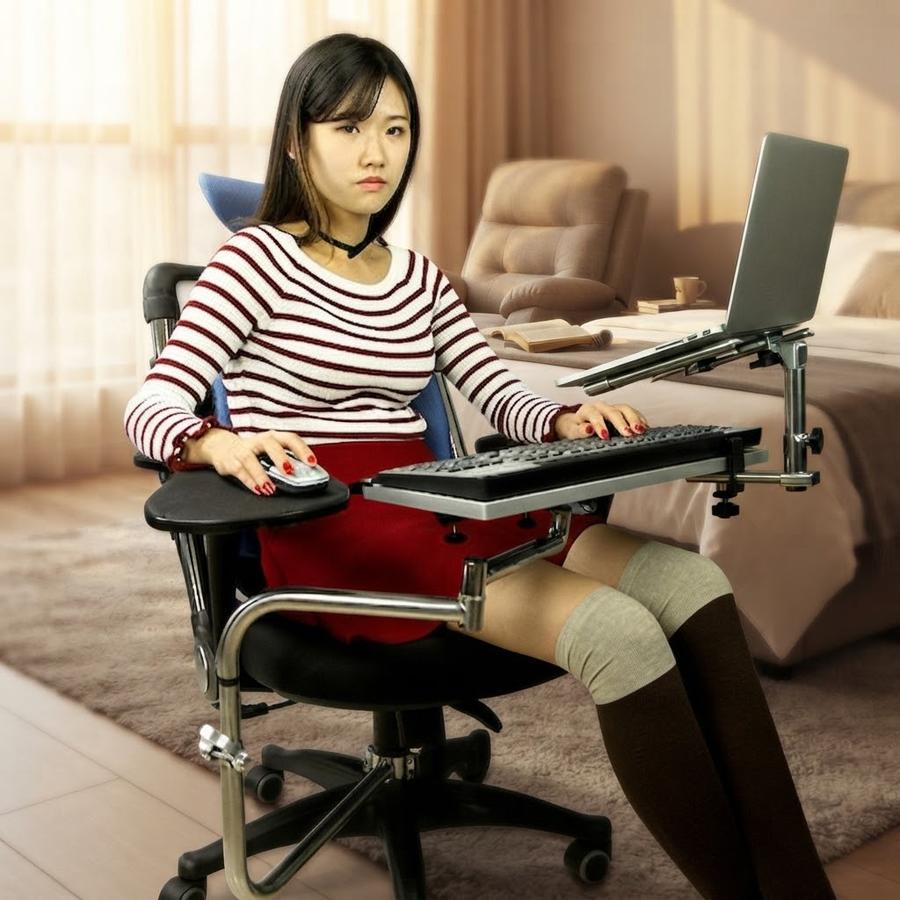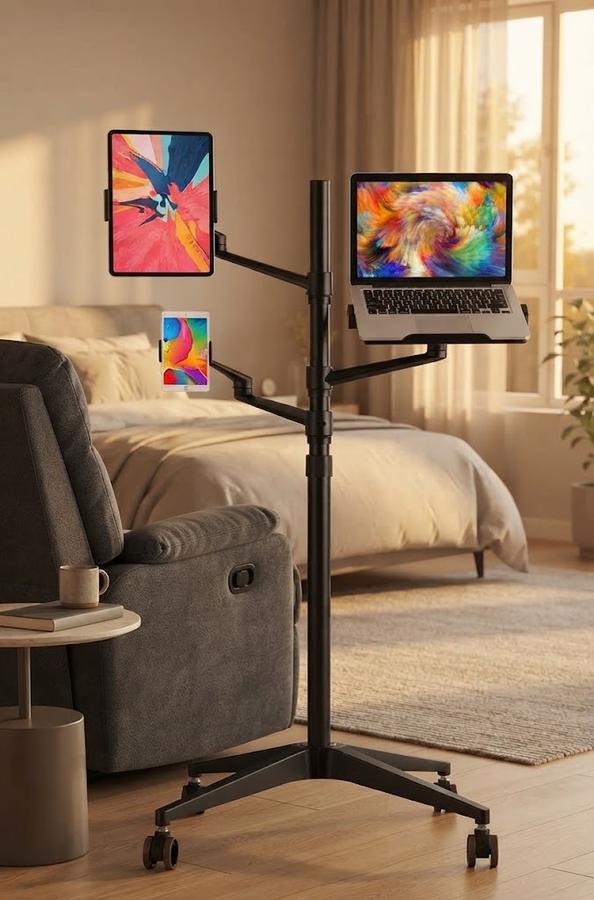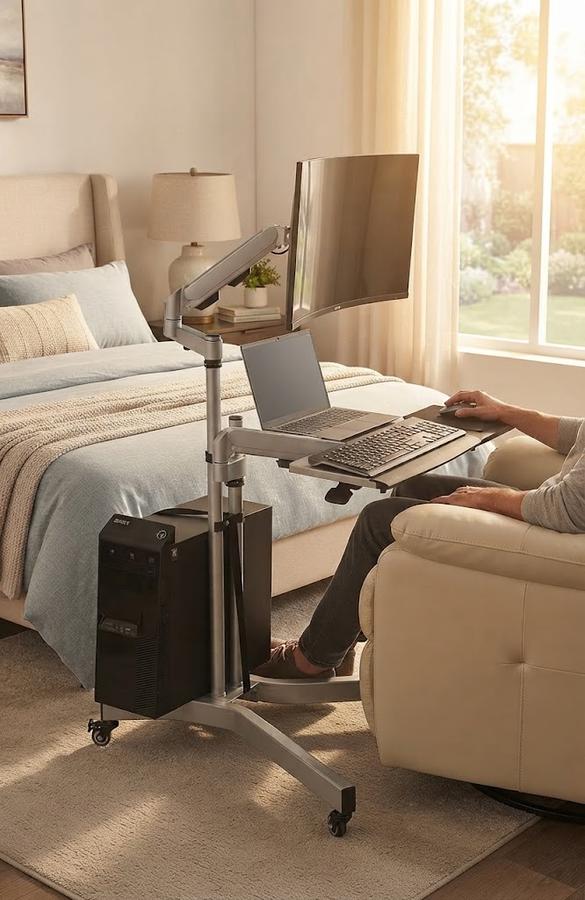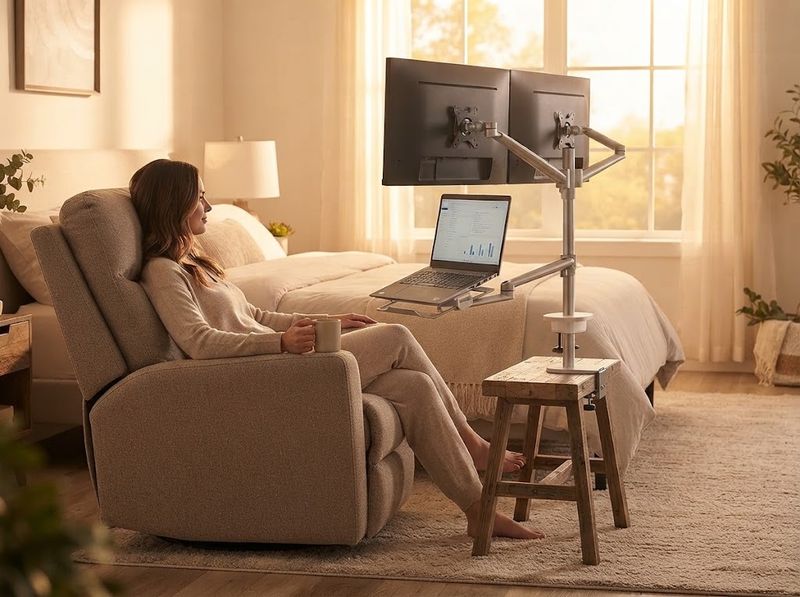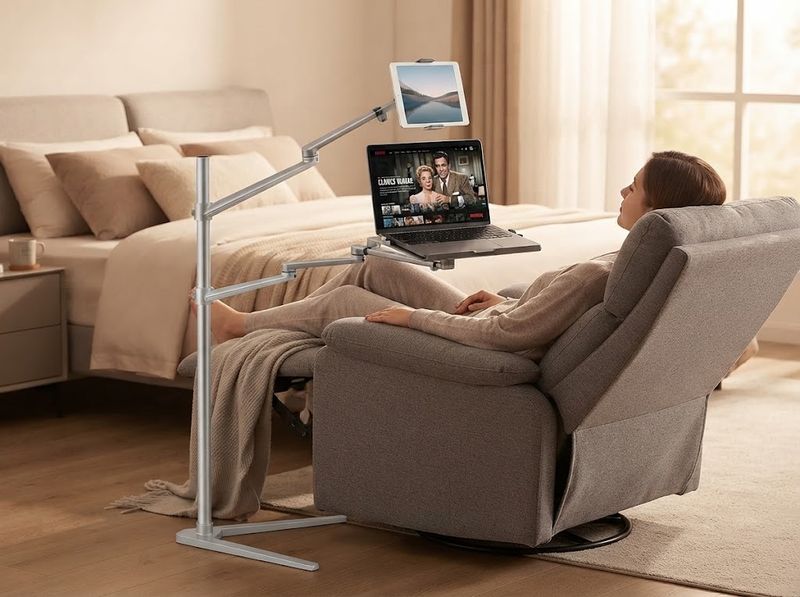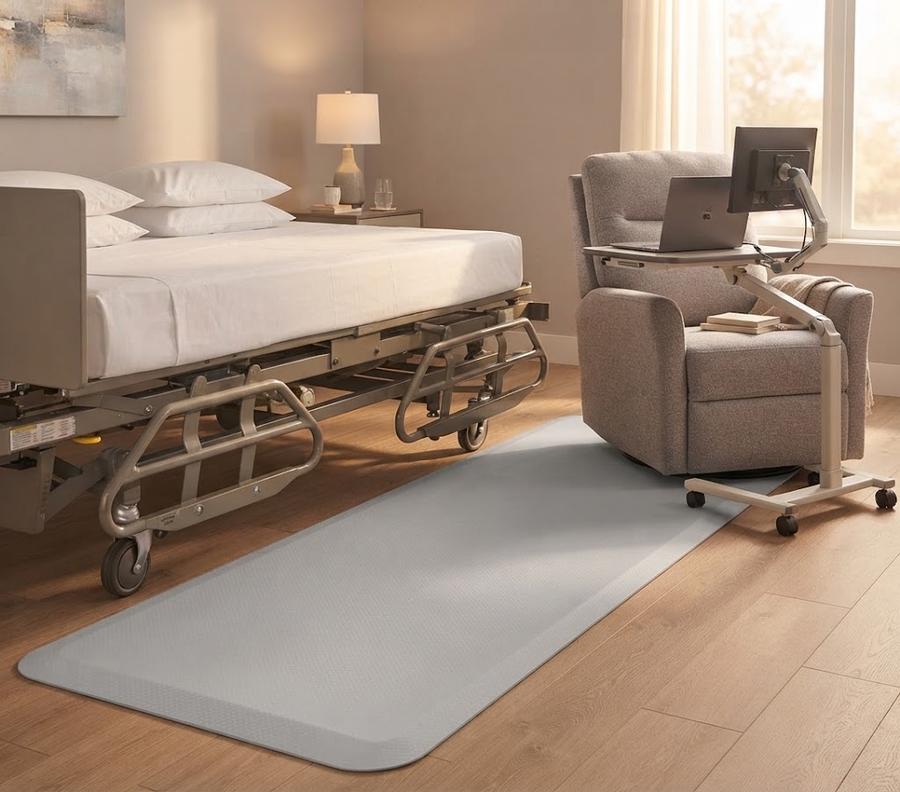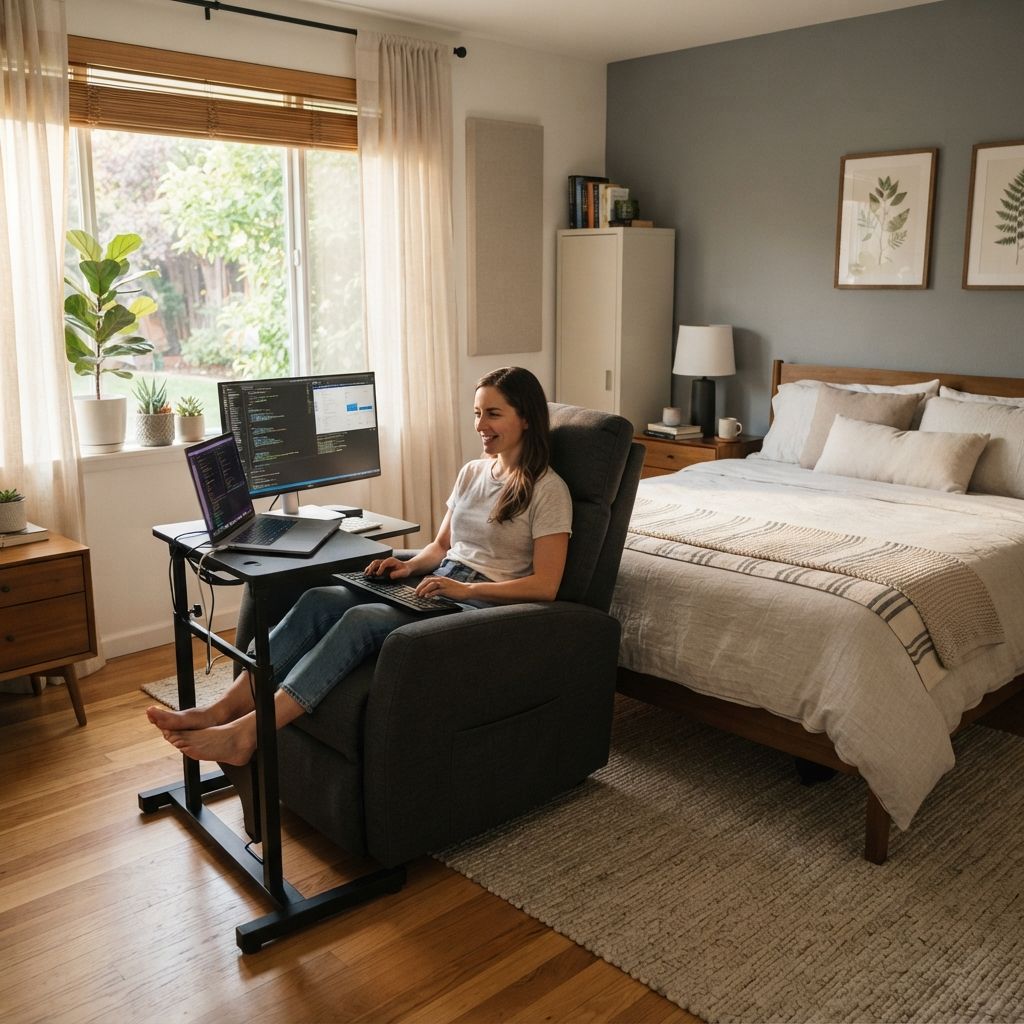
Bed, recliner, chair, and floor mounting

Adjustable Laptop & Monitor Stands That Clamp to Beds, Recliners, and Floors

Recliner armrests and stacked pillows are not a laptop stand, and that gap is what MagicHold mounting stands fill: they clamp to a bed frame, a recliner's gas cylinder, or a bare floor. Across rated models they hold a 4.1-star average from 1,463 verified buyer reviews. One caveat the listings bury: warranty coverage here runs per model rather than brand-wide, and a 30-day return window is listed on the rolling floor workstation alone.

MagicHold adjustable laptop stand beside a recliner

Your recliner has no desk edge to clamp, and your bed frame is not a mounting rail either. Pick the mount that matches where you actually sit: a chair column, a bed frame, a rolling base, or a flat desktop. Height travel, load ceiling, and warranty terms are published per model, so you can check the exact one you want before you order it.

  • Works without a fixed desk, so you can keep a full laptop-and-monitor setup within reach from a recliner, a couch, or a bed after surgery
  • Clamps to bed frames, recliner gas cylinders, chairs, and bare floor, unlike desk-clamp-only arms from brands such as Ergotron
  • Rated 4.7 stars on the triple-arm rolling stand, the highest score in this range, with a rating published for every model
1-year manufacturer warrantyListed on the compact floor stand, the triple-arm rolling stand, and the rolling floor workstation.
30-day return for refundPublished on the rolling floor workstation, with an extended warranty running to 18 months.
24-hour parts replyThe rolling floor workstation publishes a reply window for replacement-part questions.

Our Mounting Stands, Trays, and Mats

Every MagicHold model publishes its own height travel, load ceiling, and warranty line, because coverage across this range is not uniform.

MagicHold Triple-Arm Rolling Stand

MagicHold Triple-Arm Rolling Stand

4.7 (60 verified reviews)

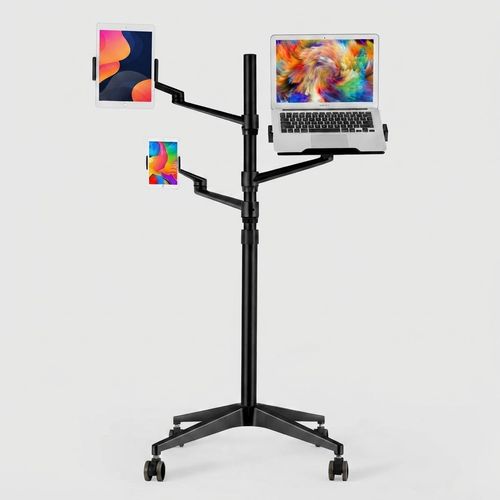
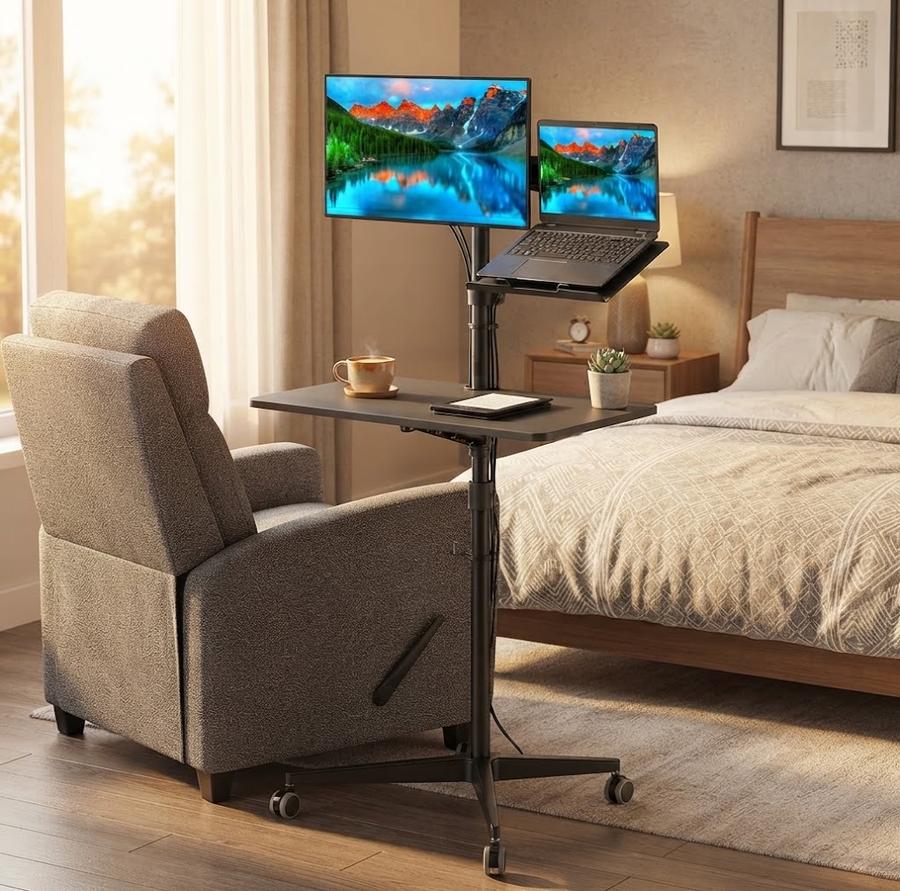
Park the wheeled base beside a recliner, extend the post to standing height, and three arms hold a laptop and two tablets at once. Each arm swings a full 360 degrees and stops where you let go, which is how one owner ran two portable monitors through a post-surgery recovery. Where a spring-loaded holder gives out after a year and drops the screen toward your face, the aluminum arms here keep their set height. Cables run in a built-in channel down the post, and a 1-year manufacturer warranty is listed for this model.

  • Extends 32.7 to 51 inches and holds a laptop plus two tablets on one rolling base
  • Each joint swings 360 degrees and locks by friction, so the arm holds height without spring creep
  • 4.7 stars across 60 verified buyer reviews, highest rated in this range
Check today's price
MagicHold Mobile Bedside Computer Workstation

MagicHold Mobile Bedside Computer Workstation

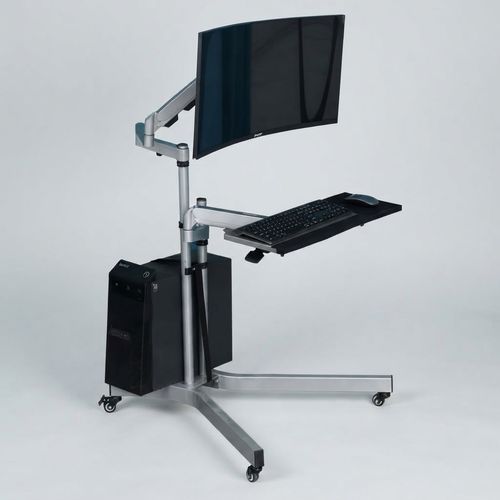
Roll the workstation to the side of the bed and a spring-loaded monitor arm swings a screen out over your lap while the keyboard tray angles down to your hands. The metal frame with aluminum-alloy arms carries a combined 66 lbs, enough for a monitor, a keyboard, and a full tower in the built-in CPU holder underneath. Where a bedside table forces you to hunch toward a laptop on a tray, this one brings the screen to your eye line and keeps the tower off the carpet. A cable management tray ships with it, and the compact rolling base tucks between a bed and a wall in a small room.

  • Carries a combined 66 lbs of monitor, keyboard, and tower on one rolling bedside frame
  • Gas-spring arm counterweights the monitor so it swings over the bed and holds position
  • New listing with no published warranty term; standard 30-day retailer return applies
Check today's price
MagicHold Rolling Floor Workstation

MagicHold Rolling Floor Workstation

3.9 (42 verified reviews)

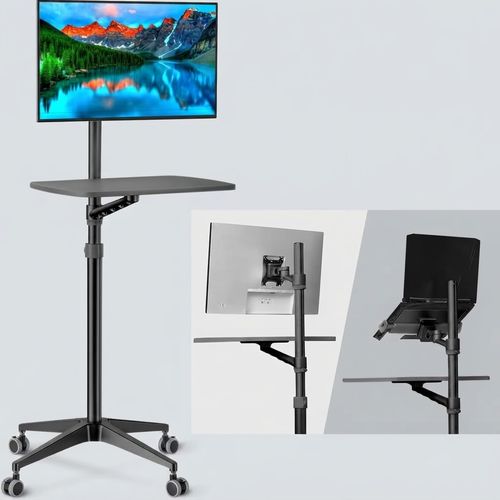
Raise the board from 34 to 48.6 inches and the same frame works as a seated laptop desk, a standing workstation, or a podium you roll into a meeting room. The 21" x 14" board takes up to 17.6 lbs of keyboard and mouse, and the arm above it fits a 17 to 27-inch monitor or a 12 to 17-inch laptop. Where a folding tray table racks side to side the moment you type, four feet and lockable wheels keep this one planted on carpet or tile. This is the model that publishes a 30-day return for refund and an extended warranty to 18 months, with a published reply window for replacement parts.

  • Runs 34 to 48.6 inches, seated laptop desk to standing podium on one rolling frame
  • Four-foot base plus lockable casters resist the side-to-side rack that folding tables develop
  • 30-day return for refund, extended warranty to 18 months, 24-hour parts reply
Check today's price
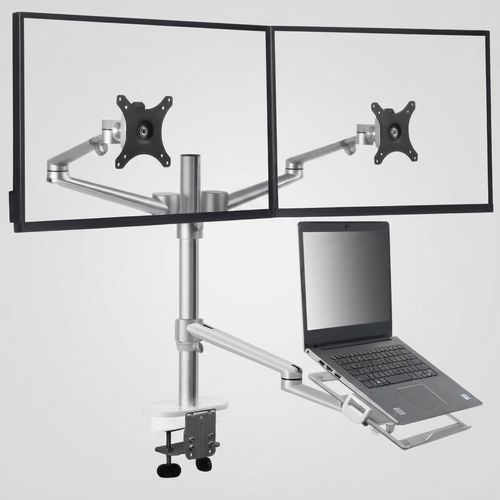
MagicHold 3-in-1 Dual Monitor and Laptop Desk Mount

MagicHold 3-in-1 Dual Monitor & Laptop Desk Mount

4.4 (111 verified reviews)

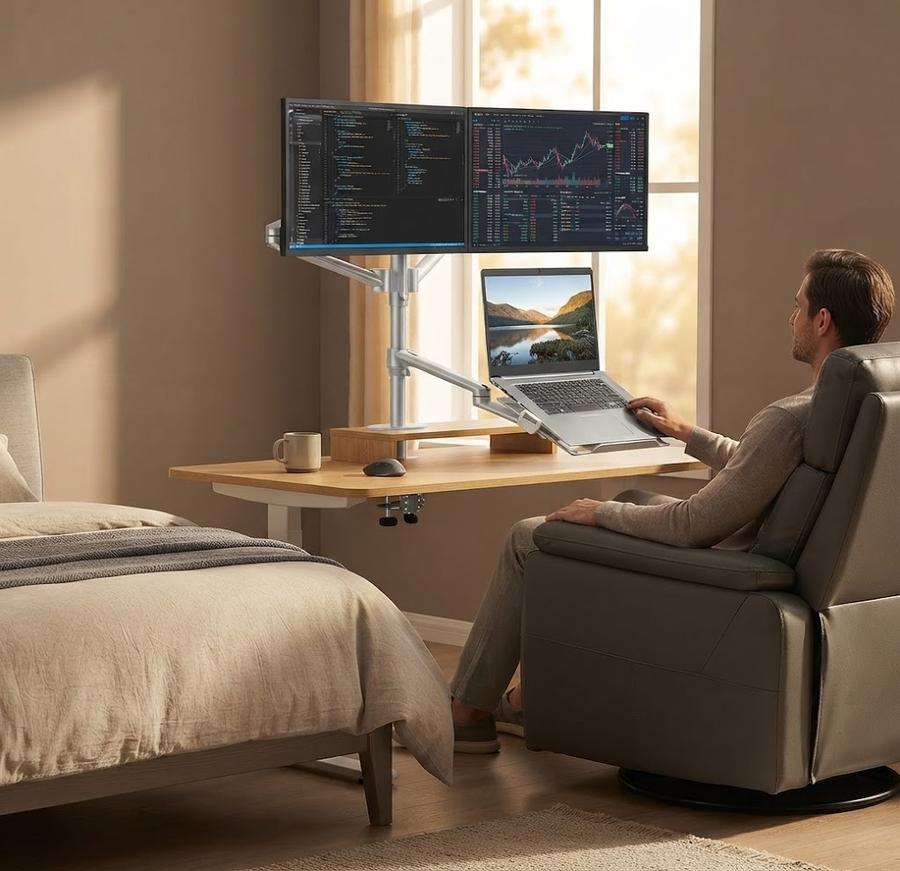
Lift two 11 to 27-inch monitors and a laptop off the desktop onto a single post, and the surface underneath comes back for paperwork. Each monitor arm carries its rated load on a 75x75mm or 100x100mm mounting plate, extends 20.5 inches out, and tilts through 145 degrees to face whoever is looking. Where a heavy clamp crushes a hollow-core desk over a few months, this base spreads its grip across any flat surface up to 2.83 inches thick. Every load-bearing part is aluminum rather than moulded plastic, and the whole mount breaks down into half a carry-on for a move between offices.

  • Holds two 11 to 27-inch monitors plus a laptop on one post, 19.8 lbs per arm
  • VESA plate and 20.5-inch arm extension put a wide panel clear of the laptop screen
  • 4.4 stars across 111 verified reviews, with owners citing metal load-bearing parts
Check today's price
MagicHold 3-in-1 Rotating Laptop and Tablet Floor Stand

MagicHold 3-in-1 Rotating Laptop & Tablet Floor Stand

4.2 (633 verified reviews)

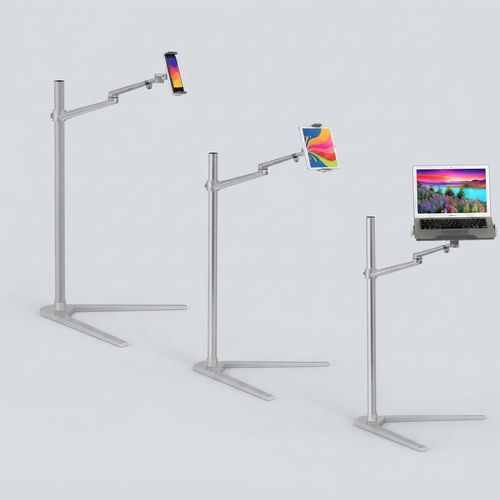
Slide the V-shaped feet between the couch and the wall, raise the post to full extension, and a full-size laptop sits at eye level from a recliner. The tray tilts a full 90 degrees face-down, so a tablet can hang over a bed for reading flat on your back. Where a lap desk rests on your thighs and heats them, this one carries the machine on an aluminum post and leaves your legs alone. A 1-year manufacturer warranty is listed for this model, and the arm joint rotates 360 degrees to whatever angle the chair puts you in.

  • Raises a 13 to 17.3-inch laptop from 12.2 up to 40.16 inches, seated or lying flat
  • V-shaped feet spread the base so it fits between couch and wall without tipping forward
  • 1-year manufacturer warranty listed for this model
Check today's price
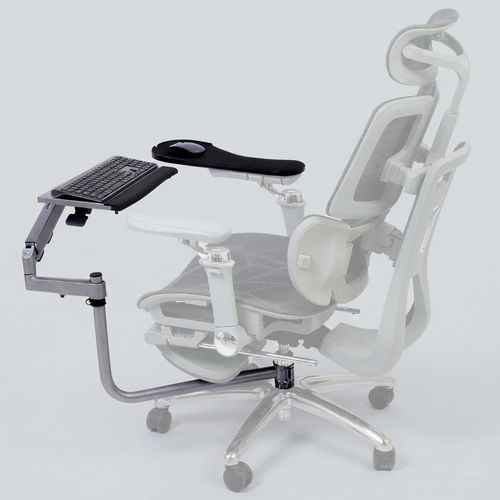
MagicHold Chair-Mounted Keyboard and Mouse Stand

MagicHold Chair-Mounted Keyboard & Mouse Stand

3.8 (526 verified reviews)

Close the clamp around a chair's gas cylinder or round bar inside the listed clamp range, and the keyboard tray rides with the chair instead of tying you to a desk. The mouse pad tray fastens to the armrest, so both hands stay in the same relationship no matter how far back you lean. Where a desk keyboard tray forces you toward the desk, this one follows you into a recline for a long gaming or work session. Check the armrest before ordering: padded or contoured arms do not give the mouse tray a flat surface to sit on.

  • Clamps a round chair column up to 1.96 inches diagonal and carries keyboard plus mouse tray
  • Tray mounts on the chair itself, so keyboard height follows the recline instead of the desk
  • Needs a hard flat armrest; padded armrests will not seat the mouse tray level
Check today's price
MagicHold Gas-Spring Chair Keyboard Tray

MagicHold Gas-Spring Chair Keyboard Tray

3.5 (3 verified reviews)

Clamp the arm to a round chair column and a gas-spring lift takes the keyboard tray up or down with one hand instead of a wrench. The multi-joint arm rotates freely, so the tray swings out for a session and folds away flat against the chair when you stand up. Where a fixed under-desk tray commits you to one height forever, the spring here resets the position each time you change how far back you sit. Note that the mouse tray attaches to the armrest and needs a firm flat arm to sit properly; this listing publishes no separate warranty term.

  • Gas-spring tray clamps a chair column and folds flat against the chair between sessions
  • Spring lift carries the tray weight, so one hand changes height without loosening a bolt
  • No separate manufacturer warranty published for this model; standard retailer returns apply
Check today's price
MagicHold Bedside Fall Protection Mat

MagicHold Bedside Fall Protection Mat

4.4 (88 verified reviews)

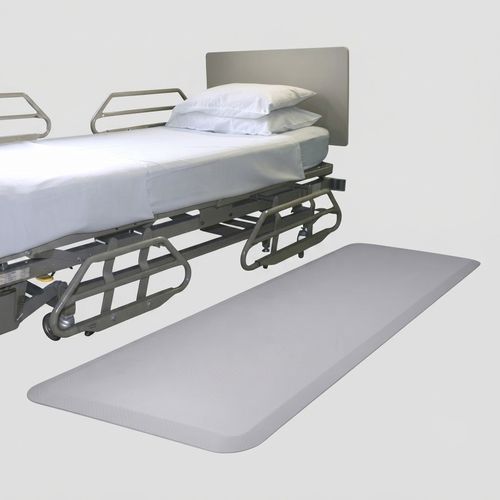
Lay the mat along the side of the bed where a parent's feet land first, and a night-time slip meets 0.75 inches of cushion instead of hardwood. Three layers do separate jobs: a textured PVC top grips socks or bare feet, a high-resilience PU foam core absorbs the drop, and an SBR rubber bottom keeps the mat itself from sliding. Where a folded blanket or a bathmat bunches up and becomes the trip hazard, the beveled edges here sit low enough for a wheelchair or walker to roll straight across. One buyer reported zero falls in the month after laying it down, and it wipes clean with a dry cloth.

  • 24" x 70" x 0.75" of bedside cushion, sized to cover where feet land getting up
  • PU foam core absorbs the impact while the SBR rubber bottom stops the mat sliding on the fall
  • 4.4 stars across 88 verified reviews, including caregiver reports of falls stopping
Check today's price

Why Buyers Chose a Clamp-Anywhere Mount

The reasons buyers picked a MagicHold mount over a desk clamp, each one tied to a number on the spec sheet.

Stop Craning Your Neck Over an Armrest Laptop

Owners who worked whole afternoons from a recliner report the shoulder ache stops once the screen sits at eye level.

Carry a Monitor, Keyboard, and Tower on One Frame

Load the rolling bedside workstation to a combined 66 lbs of monitor, keyboard tray, and PC tower, and the wheels still roll.

Cushion the Step Out of Bed at 3 a.m.

Lay the fall mat beside the bed, and a slip lands on triple-layer foam with beveled edges instead of bare hardwood.

Notice What the Clamp Grabs: a Round Chair Column

Close the clamp around your chair's gas cylinder instead of a desk edge, and the keyboard tray travels with the chair.

Check the Rating on the Triple-Arm Before You Buy

The triple-arm rolling stand holds 4.7 stars across 60 verified reviews, earned over months of daily height and angle changes.

Read the Warranty Line for Your Exact Model

A 1-year manufacturer warranty backs the compact floor stand, the triple-arm stand, and the rolling workstation; other models list none.

From Carton to Bedside Without a Desk

Assembly runs 20 to 30 minutes by owner accounts, and the bundled Allen key handles every bolt on the frame.

1

Anchor the Base

Clamp the post to a bed frame or a chair's gas cylinder, or slide the V-shaped feet between the couch and the wall.

2

Extend to Your Height

Raise the compact floor stand anywhere from 12.2 to 40.16 inches, then lock the collar before the laptop goes on.

3

Mount Your Device

Bolt a monitor to the 75x75mm or 100x100mm VESA plate, or clip a 10 to 17.3-inch laptop into the tray.

4

Lock the Wheels and Work

Press the caster locks on the rolling models, then set the tilt angle to match the recline you actually sit at.

The Scenarios These Mounts Were Built Around

Four setups drive most of the engineering here: the recliner, the lift chair, the shared desktop, and the rolling cart.

MagicHold Triple-Arm Rolling Stand

Roll From the Desk to the Recliner Without Rebuilding the Setup

The triple-arm rolling stand extends from 32.7 to 51 inches and holds a laptop plus two tablets on a single base, so the whole setup moves in one push. One owner scheduled for surgery mounted two portable monitors on it and kept working from a recliner through the recovery weeks. The base rolls across a bedroom floor and locks where you stop it.

  • Push the stand from the home office to the recliner in one trip, and nothing gets unbolted along the way.
  • The arm holds its angle because each joint swivels a full 360 degrees and stays where you leave it, with no spring creep.
  • Where a spring-loaded tablet holder sagged after about a year of nightly use, this arm keeps the screen at the height you set.
See the triple-arm rolling stand
MagicHold Mobile Bedside Computer Workstation

Extend Overhead in a Steep Recline Without the Screen Drifting

The gas-spring arm on MagicHold's mobile bedside workstation lifts a monitor over a lift chair reclined close to flat, and the keyboard tray tilts down to meet your hands. Recovery, chronic pain, and long infusion afternoons all put people in that position for hours. The arm counterweights the screen instead of relying on a friction joint you have to keep re-tightening.

  • Recline the chair at 9 p.m., pull the arm overhead, and the screen stays exactly where the spring parks it.
  • The spring carries the monitor's weight, which is why one hand repositions the screen instead of two.
  • Where a pole-mount stand needs its collar loosened and re-tightened for every change, this arm moves and then holds.
See the bedside workstation
MagicHold 3-in-1 Dual Monitor and Laptop Desk Mount

Put Two Monitors and a Laptop Above One Desktop

The dual-monitor desk mount lifts two monitors plus a laptop off the desktop and onto one post, which clears the surface underneath for paperwork. Remote workers who move between rooms report breaking it down into half a carry-on and rebuilding it in minutes. Every part that takes load is metal rather than moulded plastic.

  • Swing a screen through 145 degrees of tilt to show a colleague, then swing it back without shifting the base.
  • The arm reaches up to 20.5 inches out from the post, so a wide panel clears the laptop screen instead of blocking it.
  • Where a clamp bites into a hollow-core desk, this base spreads its grip across any flat surface up to 2.83 inches thick.
See the dual-monitor desk mount
MagicHold Triple-Arm Rolling Stand

Keep the Cords Off the Floor When the Cart Rolls

Cable management channels run down the posts on the rolling models and catch the charger and monitor cables before they reach a caster. A stand that moves between rooms drags its own cabling, which is how chargers get run over and connectors get bent. Routing the slack up the pole takes about a minute during assembly and saves the cable afterward.

  • Clip the laptop charger into the channel before the first roll, and it never catches under a wheel again.
  • The clips sit on the pole itself, which keeps slack off the floor where a caster would otherwise run across it.
  • Only the rolling models carry the built-in channel; the chair-mounted trays leave cable routing to you.
See the rolling floor workstation

The Numbers Most Bed-Stand Listings Skip

Competitor pages promise 'height adjustable' and stop there, so the MagicHold figures below name inches, pounds per arm, and warranty scope.

up to 1.96" diagonal

Close the clamp around a recliner's gas cylinder inside that limit and the keyboard tray locks in place without touching the chair's upholstery.

Mount-type guides describe 'clamp' or 'chair mount' as a category and never name the cylinder thickness it actually clears.

manufacturer spec
1-year warranty, per model

Check the model line before you order: the compact floor stand, the triple-arm rolling stand, and the rolling floor workstation each list a 1-year manufacturer warranty. The rest state no term at all.

Warranty terms barely surface in competitor buying guides, and a plain per-model breakdown is rarer still.

manufacturer product listings
32.7"-51" (825-1290mm)

Lock the wheeled base beside a lift chair at its steepest recline and run the arm from 32.7 inches to a full 51 inches overhead. That clears an ottoman before the screen tips toward your lap.

Most bed-stand pages promise 'height adjustable' without naming a single inch of travel.

manufacturer spec
19.8 lbs (9kg) per arm

Bolt an 11 to 27-inch monitor onto the mounting plate and each arm carries its rated weight capacity through a workday of tilting and swiveling without drooping.

Hole-pattern and per-arm load specifics rarely leave the spec sheet; most comparisons stop at 'VESA compatible'.

manufacturer spec
66 lbs (30kg)

Load a monitor, a keyboard tray, and a full PC tower onto the rolling bedside cart and the aluminum-alloy frame carries the combined weight capacity without the wheels splaying.

Weight-capacity claims usually skip the combined figure, quoting monitor arms and desk carts separately.

manufacturer spec
4.1★ across 1,463 reviews

Owners who mounted these stands over recliners, beds, and rolling floor setups rate them 4.1 stars after months of daily height and angle changes.

A verified buyer count this size rarely sits behind a mounting stand outside the big ergonomic brands.

verified buyer reviews, weighted across rated models

Built Around the Recliner, Not the Desk Edge

MagicHold mounting stand in a bedroom workspace

You can mount a laptop stand to your bed or recliner here, because recliners, hospital beds, and lift chairs sit outside the reach of a desk-clamp arm, and that gap is where MagicHold mounting stands operate: chair columns, bed frames, rolling bases, and bare floor. The part worth knowing before you order is that coverage across the range is not uniform, and the listings state it per model rather than as one brand promise.

You will find the same category logic behind the fall-protection mat sold alongside the stands. Both answer the same question: what happens when the work, or the person, leaves the desk. That places these mounts in home-office ergonomics rather than general office furniture, with one foot in mobility and bedside safety.

One owner, a 71-year-old recovering from flu, assembled the triple-arm rolling stand from her bed in 20 to 30 minutes. She had two screens running that afternoon, instead of waiting days for someone to come and build it for her. That is the buyer these frames are cut for. If you want the proof before the pitch, every model publishes its own height travel, load ceiling, and warranty line, so you can check yours against the chair or bed you actually own.

Read the full brand story

What Owners Report After Months of Use

Verified buyer accounts, kept in the words the owners used, including the critical ones.

★★★★★ Verified Purchase

Functions exactly as promised. Very easy to assemble and adjust as needed. I'm a 71 y/o woman who put it together while sitting in bed recovering from flu. Took 20-30 minutes. Materials are solid and nice looking. Wide wheel span prevents tipping, but does require some floor space. However, the base is low enough that half of it will easily roll under my bed, so devices are close and easy to reach. Unit holds my 12 inch tablet and large Samsung phone very securely.

MagicHold Triple-Arm Rolling Stand

★★★★★ Verified Purchase

This solved the slick floor problem by my bed. I accidentally slid off the edge of the bed recently and had to call the paramedics to get me off the floor. I started to slide and could get no traction with my feet. This mat solves that problem plus providing a soft cushion if I do fall.

MagicHold Bedside Fall Protection Mat

★★★★★ Verified Purchase

I work remotely and this is great to lug around to make sure you have a comfortable workstation anywhere you go. Completely breaks down and fits into half a carry-on luggage. It is a bit heavier but very sturdy, and given the amount of traveling, it has to be a bit heavier to be more durable in my opinion.

MagicHold 3-in-1 Dual Monitor and Laptop Desk Mount

★★★★★ Verified Purchase

I bought this a week ago. There are many adjustments. You can bring the screens closer, up, down, left, right, rotate. It is also well made. Rolls on carpet and hardwood floors effortlessly, and the assembly is simple too. I absolutely love this.

MagicHold Rolling Floor Workstation

★★★★☆ Verified Purchase

I purchased this to use in our chair and futon couch with my 13" MacBook Air. It works pretty well. It is decently tall and stable, definitely not cheap feeling. The clamps fit my 13" Air and the arm is easily adjustable for both height and angle. Check the tightness on the arm clamp periodically, as it can loosen and slide down over time if you have not tightened it correctly. Do not overload the stand or swivel it in an odd direction, as it can tip over.

MagicHold 3-in-1 Rotating Laptop and Tablet Floor Stand

★★★★★ Verified Purchase

This is my second one, the first is still going strong 6 years later, and the wife wanted one finally. Easy to install, mounts are solid. A couple of updates to the clamps and such seem more durable and easier to adjust. Size wise it is great for a full size keyboard. Would, and did, buy again.

MagicHold Chair-Mounted Keyboard and Mouse Stand

★★★★★ Verified Purchase

I use this anti-slip mat with my standing desk and it is an excellent product. High quality material that I can stand on for 4-5 hours on end without feeling any pressure on my ankles or knees as I usually would. Very ergonomic design, soft, and durable.

MagicHold Bedside Fall Protection Mat

★★★★★ Verified Purchase

Love this stand. It makes working from home so much easier. Easy to adjust, and it works whether you are at a desk, a recliner, a sofa or a bed. The base is very smooth rolling, and extremely stable. Very happy with this purchase.

MagicHold Triple-Arm Rolling Stand

★★★★★ Verified Purchase

I normally do not leave any comment, but I really love this one. This was totally easy to mount, and all tools were there. Material is sturdy. I have a 24 inch monitor and a laptop which is easy to adjust. It hides all the lines while you can put things underneath, so the desk looks cleaner and you get more desk space back. I am going to get a few more for my employees as well.

MagicHold 3-in-1 Dual Monitor and Laptop Desk Mount

★★★☆☆ Verified Purchase

Wish it was a ball-bearing hinge that could let me freely swing the keyboard around. The bottom arm that ties to the chair is limited: I had to cut one of the plastic rings around my hydraulic column to give it a bit more give to swing around my chair.

MagicHold Chair-Mounted Keyboard and Mouse Stand

Spec by Spec Against a Desk-Clamp Arm

Ergotron-tier arms win on the desk itself; the difference shows up the moment there is no desk to clamp.

MagicHold mounting stands measured against desk-clamp monitor arms
CriterionMagicHoldErgotron and desk-clamp brands
Mounting surfaces Bed frame, recliner column, floor, chair, desktop Desk clamp or grommet only
Height range published in inches Stated per model, compact floor stand through triple-arm cart Often 'height adjustable' with no inch figure given
Combined load capacity Combined monitor, keyboard, and tower load published for the bedside workstation Monitor-only capacity quoted, not a combined desk load
Chair-column mounting Clamps a round gas cylinder or bar Not applicable
Monitor hole pattern 75x75mm and 100x100mm Same standard, comparable
Warranty 1 year, listed on the compact floor stand, triple-arm rolling stand, and rolling floor workstation Ergotron publishes longer terms across its full range

Day One to Year One on the Same Frame

Unboxing runs 20 to 30 minutes by owner accounts, and the rolling floor workstation's 30-day return window opens that same day.

  1. Day 1

    Cut the carton open after dinner, clamp the post to your bed frame, and set the laptop into the tray before the evening is out. If the fit turns out wrong, the rolling floor workstation lists a 30-day return for refund plus an extended warranty running to 18 months.

  2. Week 1

    Run the compact floor stand through its full 12.2 to 40.16-inch travel until the screen lands at eye level from the chair position you actually use. Mark the collar with tape so you can find that height again.

  3. Month 1

    Hang a monitor, a keyboard tray, and the PC tower on the bedside workstation frame, then thread the cables into the channel before the cart moves rooms again.

  4. Year 1+

    Check the warranty line against the model number on your invoice, and re-check the joint bolts twice a year; owners who skip that step report the tray drifting out of position.

Ready for Day 1? Compare the rolling frames side by side before you pick a mounting surface.

What Owners Worry About Before Ordering

Wobble, warranty gaps, and clamps that miss a recliner column come up most often, so here is what the specs answer.

The Laptop Slides Off the Armrest Mid-Call

Stop propping the machine on a cushion that shifts every time you move your arm. The tray grips the laptop at a fixed tilt and a raised front lip blocks the slide, so a video call survives you reaching for a coffee.

Every 'Adjustable' Stand You Have Tried Wobbles on Carpet

Toss the three-legged stand that rocks whenever you type. A wide base with V-shaped feet and locking casters spread the load across carpet pile, and the joint bolts take a quarter turn the moment any play shows up.

You Cannot Tell If the Warranty Covers Your Model

End the guesswork before checkout. A 1-year manufacturer warranty is listed for the compact floor stand, the triple-arm rolling stand, and the rolling floor workstation, and the remaining models state no term of their own.

Your Recliner's Gas Cylinder Is Not a Desk Edge

Strip away the assumption that a desk clamp will adapt. The chair mount closes around a round column instead of a flat lip, so measure the cylinder across its diagonal first and check it against the listed clamp range.

You Are Stuck With It If the Fit Is Wrong

Rip the tape off and test the thing the same week it lands. The rolling floor workstation lists a 30-day return for refund, an extended warranty to 18 months, and a 24-hour reply window for parts; the other models fall back to standard retailer returns. Pick a mounting surface, then compare the rolling frames side by side.

Expert Pick: Where to Start

One configuration covers most recliner setups, and one model carries the only extended return terms published in this range.

Home-office ergonomics consultant portrait Home-Office Ergonomics Consultant Composite expert perspective

For a recliner or bedside setup, start with the arm travel rather than the tray size. The triple-arm rolling stand covers a seated recline and a standing reach from the same base, and it holds the highest buyer rating in this range. If you expect to send it back, the rolling floor workstation is the model that publishes a 30-day return and an extended warranty to 18 months. Everything else here falls back to standard retailer terms.

Expert perspective: composite view reflecting industry practice. Individual experiences vary.

  • Measure the diagonal thickness of your chair's gas cylinder before ordering a chair tray, because the clamp closes on a round column and not on a flat desk lip.
  • Set the stand up next to the chair you actually use, not the dining chair. A lift chair sits several inches higher than a kitchen seat and eats the bottom of the travel range.
  • Buy the model that publishes a return window if you are unsure about fit; a 30-day window is long enough to test a full working week before you commit.

Questions Buyers Ask Before Ordering

What is an adjustable laptop stand for bed, and how does it differ from a lap desk?

A bed-mounted stand carries the machine on its own frame, anchored to a bed rail, a chair column, or the floor, with height and tilt you set independently. A lap desk rests on your thighs, holds one fixed angle, and traps heat against your legs. The mount keeps the weight off you entirely and puts the screen at eye level rather than chin level.

What surfaces can these stands mount to?

Bed frames, recliner and office-chair gas cylinders, bare floor, rolling bases, and flat desktops all work, depending on which model you choose. That is the practical difference from a desk-clamp arm, which needs a rigid desk edge or a grommet hole. Match the mount to the surface you actually have before comparing anything else, because a chair-column clamp will not grip a mattress and a floor stand needs clearance.

Who are these mounts designed for?

The core buyer works or reads from somewhere that is not a desk: a recliner during post-surgical recovery, a bed through a long illness, a lift chair, or a gaming chair by choice. Reviews repeatedly come from people who are disabled, recovering, or working long hours reclined. Desk users are served too, though the range is shaped around the chair and bedside cases first.

Is this a desk replacement or a desk accessory?

Both cases exist in the range. The rolling bedside workstation and the rolling floor workstation replace a desk outright, because each carries a screen, a keyboard tray, and a tower on its own frame. The dual-monitor mount and chair trays act as accessories, adding height or reach to a setup you already have. Decide which job you need before comparing height figures, because the two groups solve different problems.

What else is in the range besides laptop stands?

Alongside the laptop and monitor mounts sit chair-mounted keyboard and mouse trays, a rolling bedside workstation with a CPU holder, a dual-monitor desktop mount, and a bedside fall-protection mat for mobility-limited users. The mat is the outlier, a safety product rather than a mount, but it shares the same bedside context that shapes everything else here.

Which model should a first-time buyer start with?

Start from where you sit. For a recliner or bed with a laptop plus a second screen, the triple-arm rolling stand covers the most ground and holds the highest rating here. For a keyboard and mouse only, a chair-mounted tray costs less frame and less floor space. For a full monitor, keyboard, and tower setup beside a bed, the rolling bedside workstation is the one built for that load.

Are the frames metal or plastic?

Aluminum alloy carries the load on most models, with one bedside cart using a metal and aluminum hybrid frame. Owners consistently single out the metal joints as the reason the arms hold position over time. Plastic appears only in trays, clips, and caps rather than in load-bearing parts, which is what separates these from lighter folding stands that flex under a heavier laptop.

Is there anything here for bedside fall safety?

A bedside fall-protection mat sits in the range, built for elderly and mobility-limited users rather than for work setups. Three layers do separate jobs: a textured top grips socks and bare feet, a foam core absorbs the impact, and a rubber bottom stops the mat sliding. Beveled edges keep a walker or wheelchair rolling across it.

Which models carry a warranty?

Coverage runs per model rather than brand-wide, which is the single most confusing thing about this range. A 1-year manufacturer warranty is listed for the compact floor stand, the triple-arm rolling stand, and the rolling floor workstation. The other models publish no warranty term of their own, so those fall back to the standard retailer return policy. Check the listing for the exact model before ordering.

Is there a return window if the fit turns out wrong?

The rolling floor workstation is the model that publishes its own terms: a 30-day return for refund, an extended warranty running to 18 months, and a 24-hour reply window for parts questions. Everything else falls back to the standard return window on the retail listing. Test the fit in the first days rather than the last, especially the clamp against your chair column.

What is the full height range across these stands?

Travel depends on the model. The compact floor stand covers 12.2 to 40.16 inches, which spans a low bedside position through a seated recline. The rolling floor workstation runs 34 to 48.6 inches, which spans a seated laptop desk through a standing podium. The triple-arm rolling cart reaches highest in the range, clearing an ottoman from a standing position.

Will a bed stand fit a 17-inch gaming laptop?

Machines up to 17.3 inches fit the trays across this range, which covers most 17-inch gaming laptops. Weight matters more than screen size at that end: a heavy gaming machine sits further from the post and puts more strain on the joint. Tighten the tilt bolts properly and keep the arm closer to vertical. Owners running 17-inch machines report stable results once the joints are set.